June 4, 2025
June 4, 2025
Redesigning the Research & Innovation Portal
Redesigning the Research & Innovation Portal
Redesigning the Research & Innovation Portal
The goal was to reimagine how the Research, Development and Innovation Council presents its information online, using the DIA design system to bring clarity and accessibility to a complex government website.
The goal was to reimagine how the Research, Development and Innovation Council presents its information online, using the DIA design system to bring clarity and accessibility to a complex government website.
The goal was to reimagine how the Research, Development and Innovation Council presents its information online, using the DIA design system to bring clarity and accessibility to a complex government website.
Time frame
3 weeks
My ROLE
UX research, prototyping
UX research, prototyping
UX research, prototyping
Client
RVVI (Czech Government)
RVVI (Czech Government)
Year
2025
PROJECT OVERVIEW
PROJECT OVERVIEW
PROJECT OVERVIEW
The RVVI portal (vyzkum.gov.cz) is the central hub for information about research, development, and innovation in the Czech Republic. It serves researchers, institutions, policymakers, and citizens looking for strategic documents and funding opportunities.
This concept project explored how the site could be redesigned to improve clarity, accessibility, and consistency across pages. I worked independently as both UX and UI designer over three weeks, using Figma and FigJam, building on the DIA design system, the official library for Czech government websites. The goal was to show how a unified design system can support a better user experience without sacrificing official guidelines.
The RVVI portal (vyzkum.gov.cz) is the central hub for information about research, development, and innovation in the Czech Republic. It serves researchers, institutions, policymakers, and citizens looking for strategic documents and funding opportunities.
This concept project explored how the site could be redesigned to improve clarity, accessibility, and consistency across pages. I worked independently as both UX and UI designer over three weeks, using Figma and FigJam, building on the DIA design system, the official library for Czech government websites. The goal was to show how a unified design system can support a better user experience without sacrificing official guidelines.
The RVVI portal (vyzkum.gov.cz) is the central hub for information about research, development, and innovation in the Czech Republic. It serves researchers, institutions, policymakers, and citizens looking for strategic documents and funding opportunities.
This concept project explored how the site could be redesigned to improve clarity, accessibility, and consistency across pages. I worked independently as both UX and UI designer over three weeks, using Figma and FigJam, building on the DIA design system, the official library for Czech government websites. The goal was to show how a unified design system can support a better user experience without sacrificing official guidelines.
PROBLEM / DISCOVERY
PROBLEM / DISCOVERY
PROBLEM / DISCOVERY
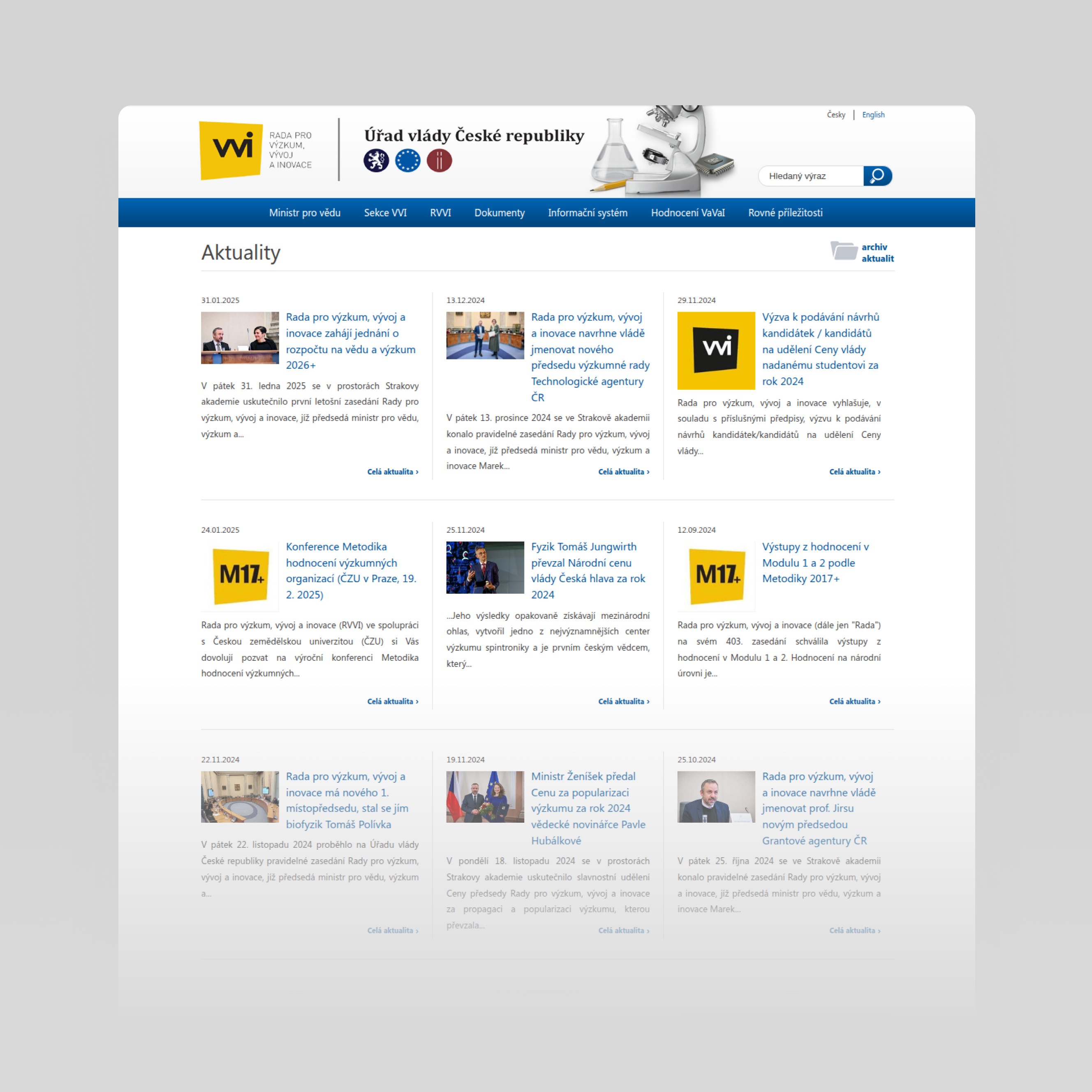
The existing RVVI site contains valuable content but presents it through outdated navigation, inconsistent hierarchy, and confusing categorization. Users often arrive from search engines directly on deep pages without a clear path back to the main sections. The visual tone feels overly institutional, and menus are buried under long category lists that obscure context.
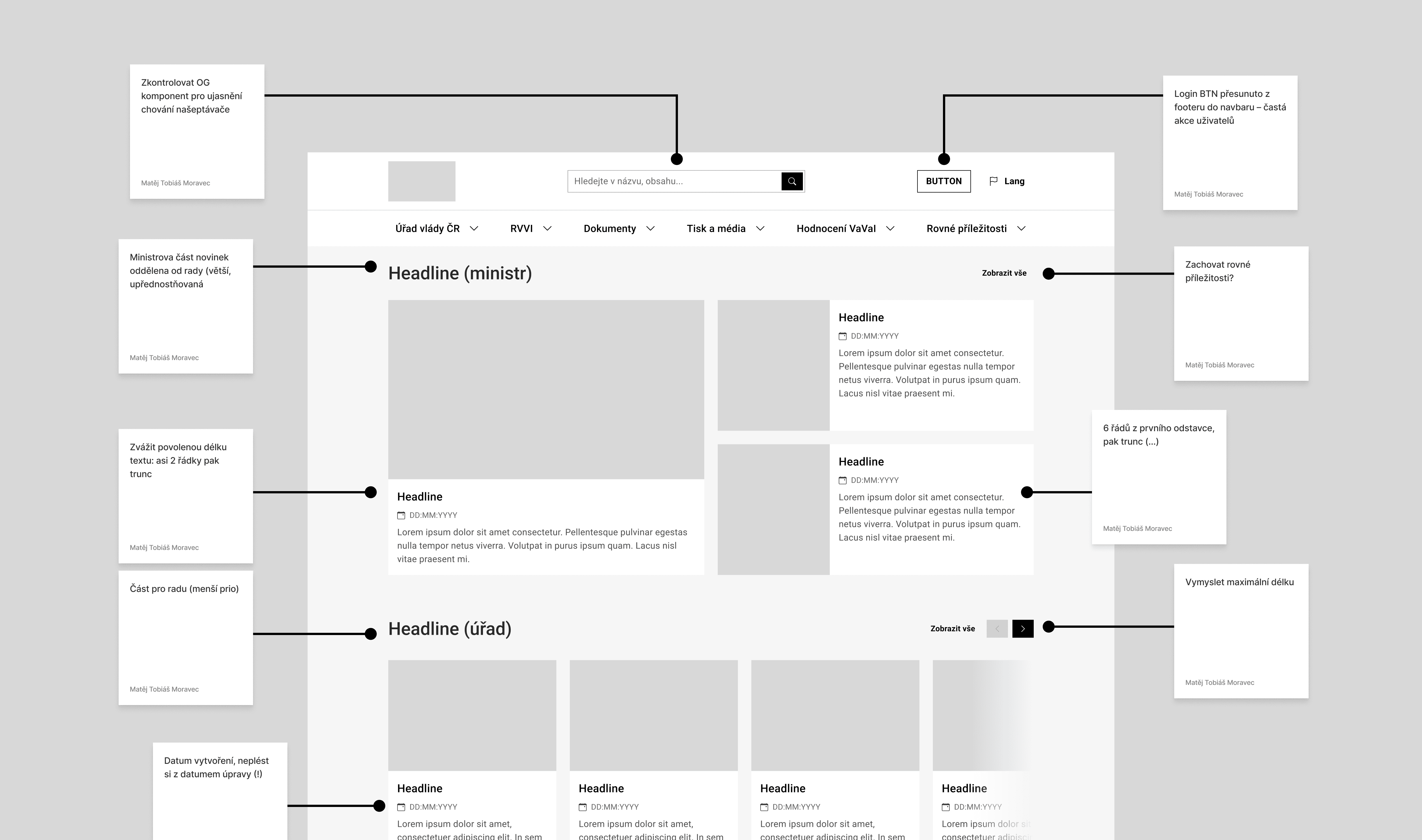
During the audit, I noticed that “Aktuality ministra” and “Aktuality ministerstva” were mixed together under one feed. This created unnecessary noise and made it difficult to understand the source or relevance of each update. In the redesign, I split these into two separate sections – one for Minister’s News and one for Ministry News – to make the communication structure clearer and more transparent.
Since there was no analytics or user data available, I ran a heuristic evaluation and studied comparable government portals such as GOV.UK and Estonia’s e-Governance sites. I benchmarked their clarity, tone, and structural simplicity, identifying repeating usability issues to resolve — mainly over-nested navigation, inconsistent typography, and unclear affordances on links.
GOALS & CONSTRAINTS
GOALS & CONSTRAINTS
GOALS & CONSTRAINTS
The main goal was to make information architecture intuitive enough that users could locate key documents or news items without prior knowledge of the institution’s structure. The layout had to remain flexible for future expansion, handle multiple document types, and support cross-linking between related materials.
A hard constraint was full compatibility with the DIA design library – no visual experiments outside the system. The challenge was to make it look fresh and clear without breaking established government standards.
The main goal was to make information architecture intuitive enough that users could locate key documents or news items without prior knowledge of the institution’s structure. The layout had to remain flexible for future expansion, handle multiple document types, and support cross-linking between related materials.
A hard constraint was full compatibility with the DIA design library – no visual experiments outside the system. The challenge was to make it look fresh and clear without breaking established government standards.
The main goal was to make information architecture intuitive enough that users could locate key documents or news items without prior knowledge of the institution’s structure. The layout had to remain flexible for future expansion, handle multiple document types, and support cross-linking between related materials.
A hard constraint was full compatibility with the DIA design library – no visual experiments outside the system. The challenge was to make it look fresh and clear without breaking established government standards.
Approach / Process & Decisions
Information Architecture Audit
Phase 1
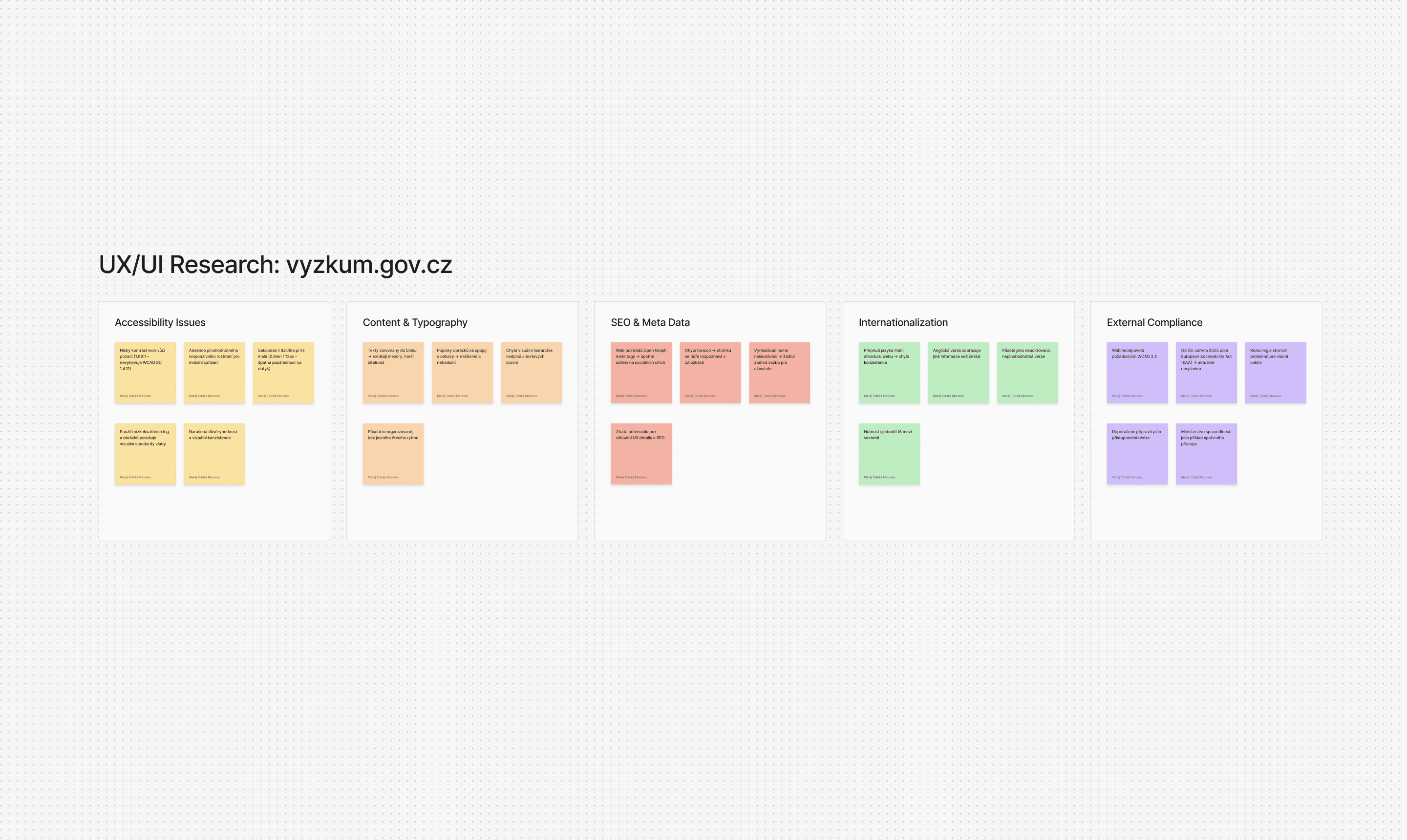
I started by mapping the full structure of the RVVI section in FigJam. This revealed how fragmented the navigation was – many deep paths with little sense of hierarchy. I reorganized the content from a ministry-based system into a purpose-based one, grouping information around user goals like Policy & Strategy, Funding & Grants, and Reports & Documents.
Information Architecture Audit
Phase 1
I started by mapping the full structure of the RVVI section in FigJam. This revealed how fragmented the navigation was – many deep paths with little sense of hierarchy. I reorganized the content from a ministry-based system into a purpose-based one, grouping information around user goals like Policy & Strategy, Funding & Grants, and Reports & Documents.
Information Architecture Audit
Phase 1
I started by mapping the full structure of the RVVI section in FigJam. This revealed how fragmented the navigation was – many deep paths with little sense of hierarchy. I reorganized the content from a ministry-based system into a purpose-based one, grouping information around user goals like Policy & Strategy, Funding & Grants, and Reports & Documents.
Wireframing & Testing
Phase 2
Once the structure made sense, I created low-fidelity wireframes for the homepage, section overviews, and document detail pages. I tested these flows with a few design peers to check if labels and groupings were intuitive. The version focused on user tasks consistently proved the clearest.
Wireframing & Testing
Phase 2
Once the structure made sense, I created low-fidelity wireframes for the homepage, section overviews, and document detail pages. I tested these flows with a few design peers to check if labels and groupings were intuitive. The version focused on user tasks consistently proved the clearest.
Wireframing & Testing
Phase 2
Once the structure made sense, I created low-fidelity wireframes for the homepage, section overviews, and document detail pages. I tested these flows with a few design peers to check if labels and groupings were intuitive. The version focused on user tasks consistently proved the clearest.
Building with the DIA Library
Phase 3
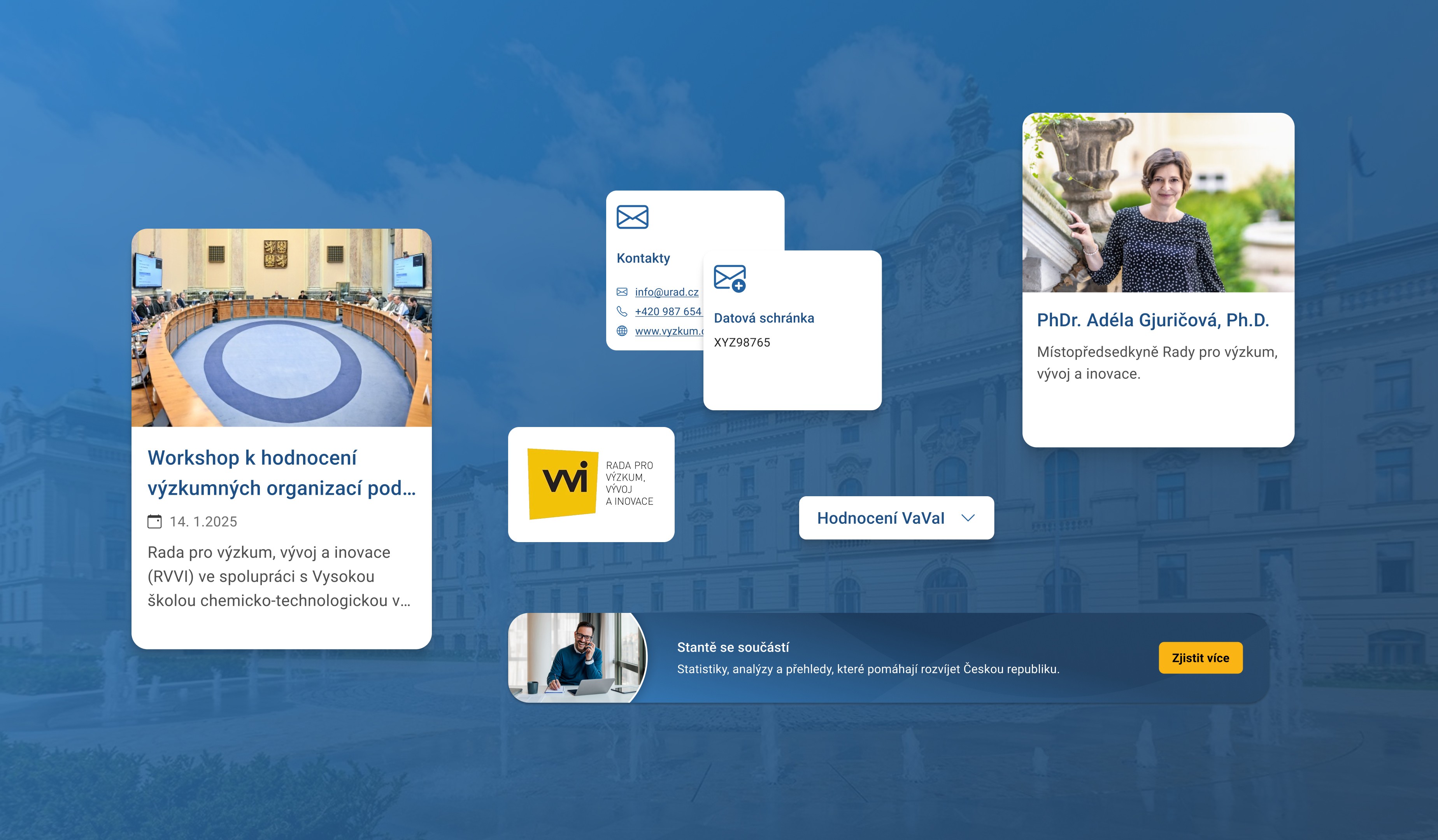
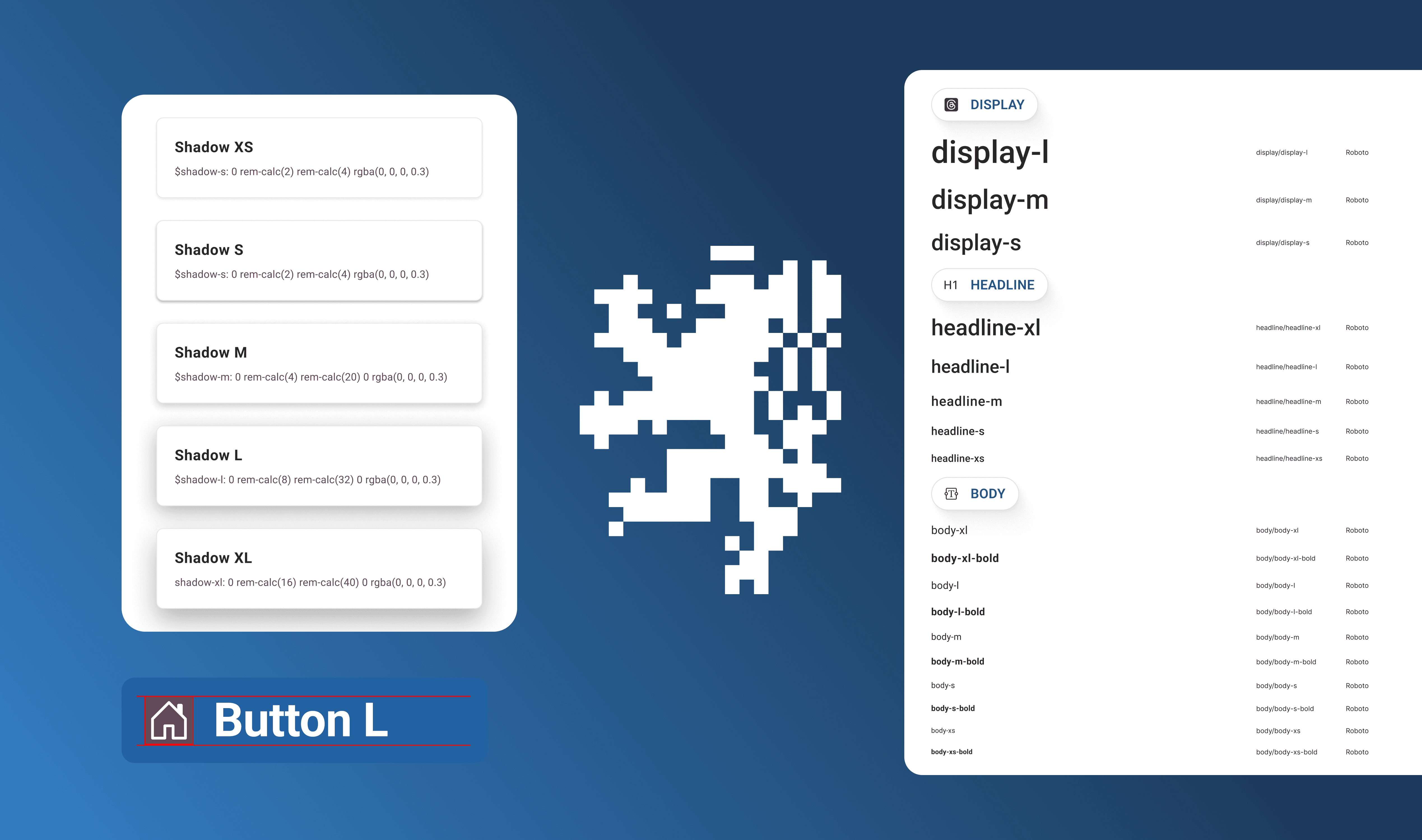
For the UI stage, I built directly on top of the Czech government’s DIA design library. I followed its color and typography rules but refined spacing and hierarchy to improve readability. Dense content blocks were simplified, and I redesigned the “Aktuality” sections – splitting Aktuality ministra and Aktuality ministerstva into two distinct feeds with clearer tagging and separation. As part of the same phase, I also added an HR-focused subpage for internal updates and job listings. It reused DIA components to stay consistent with the rest of the system and validated that the design could scale beyond content-heavy sections to more functional, administrative needs.
Building with the DIA Library
Phase 3
For the UI stage, I built directly on top of the Czech government’s DIA design library. I followed its color and typography rules but refined spacing and hierarchy to improve readability. Dense content blocks were simplified, and I redesigned the “Aktuality” sections – splitting Aktuality ministra and Aktuality ministerstva into two distinct feeds with clearer tagging and separation. As part of the same phase, I also added an HR-focused subpage for internal updates and job listings. It reused DIA components to stay consistent with the rest of the system and validated that the design could scale beyond content-heavy sections to more functional, administrative needs.
Building with the DIA Library
Phase 3
For the UI stage, I built directly on top of the Czech government’s DIA design library. I followed its color and typography rules but refined spacing and hierarchy to improve readability. Dense content blocks were simplified, and I redesigned the “Aktuality” sections – splitting Aktuality ministra and Aktuality ministerstva into two distinct feeds with clearer tagging and separation. As part of the same phase, I also added an HR-focused subpage for internal updates and job listings. It reused DIA components to stay consistent with the rest of the system and validated that the design could scale beyond content-heavy sections to more functional, administrative needs.
Accessibility & Language
Phase 4
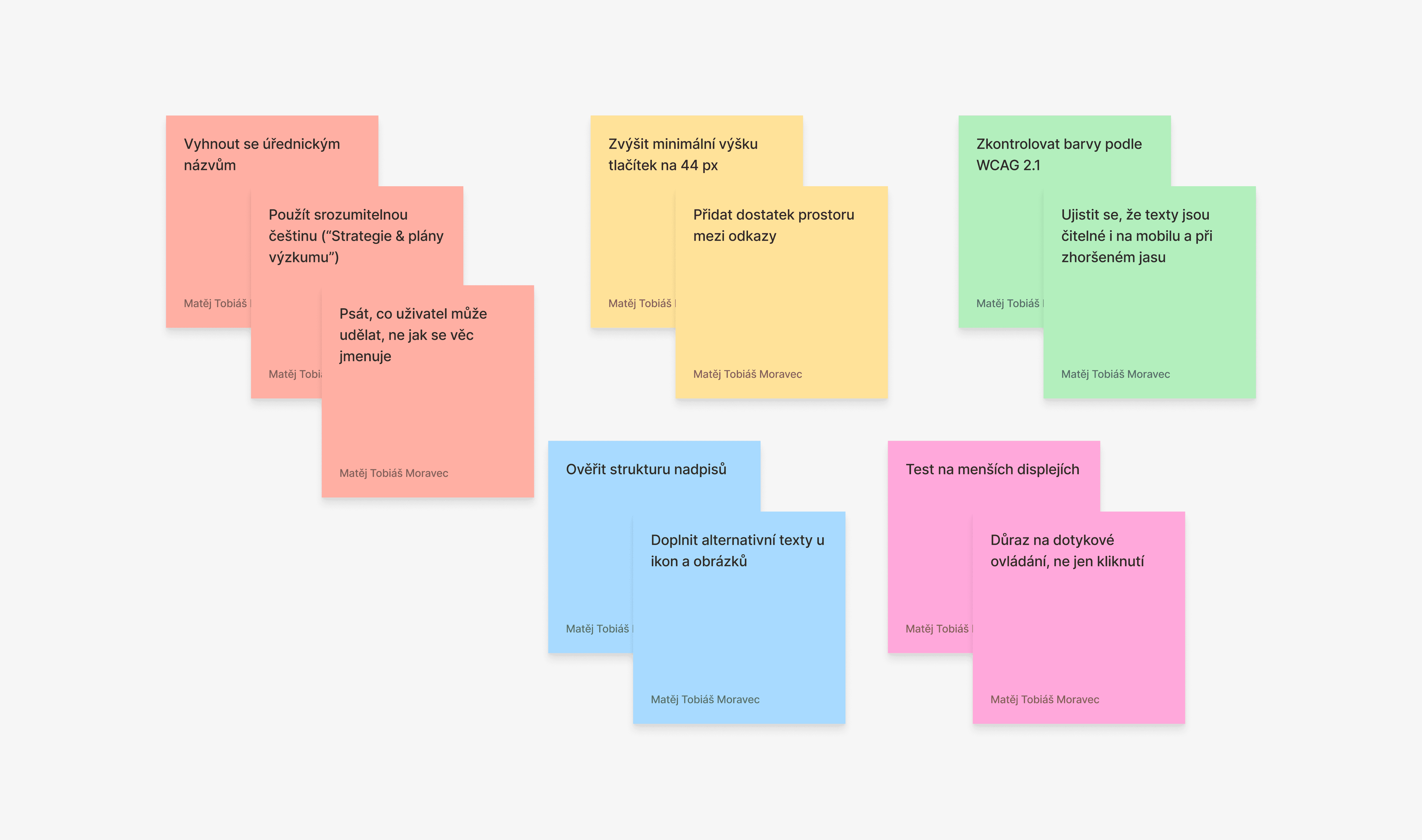
Accessibility was a key focus from the start. I tested contrast ratios, ensured larger click areas for mobile, and rewrote placeholder labels into clear Czech phrasing. Instead of bureaucratic titles, I used direct and task-oriented language – for example, “Strategie & plány výzkumu” instead of longer administrative names.
Accessibility & Language
Phase 4
Accessibility was a key focus from the start. I tested contrast ratios, ensured larger click areas for mobile, and rewrote placeholder labels into clear Czech phrasing. Instead of bureaucratic titles, I used direct and task-oriented language – for example, “Strategie & plány výzkumu” instead of longer administrative names.
Accessibility & Language
Phase 4
Accessibility was a key focus from the start. I tested contrast ratios, ensured larger click areas for mobile, and rewrote placeholder labels into clear Czech phrasing. Instead of bureaucratic titles, I used direct and task-oriented language – for example, “Strategie & plány výzkumu” instead of longer administrative names.
FINAL DESIGN / SOLUTION
FINAL DESIGN / SOLUTION
FINAL DESIGN / SOLUTION
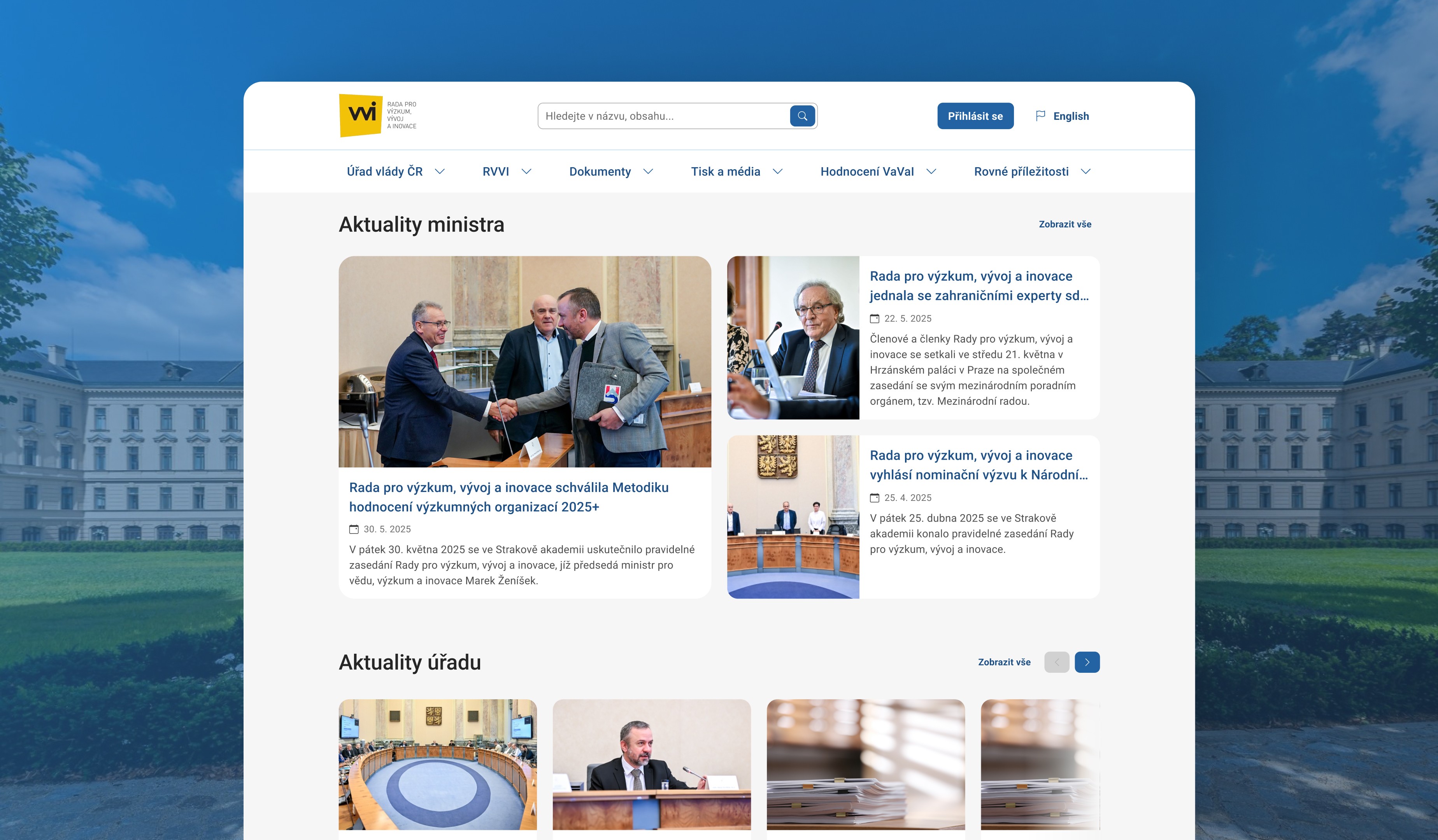
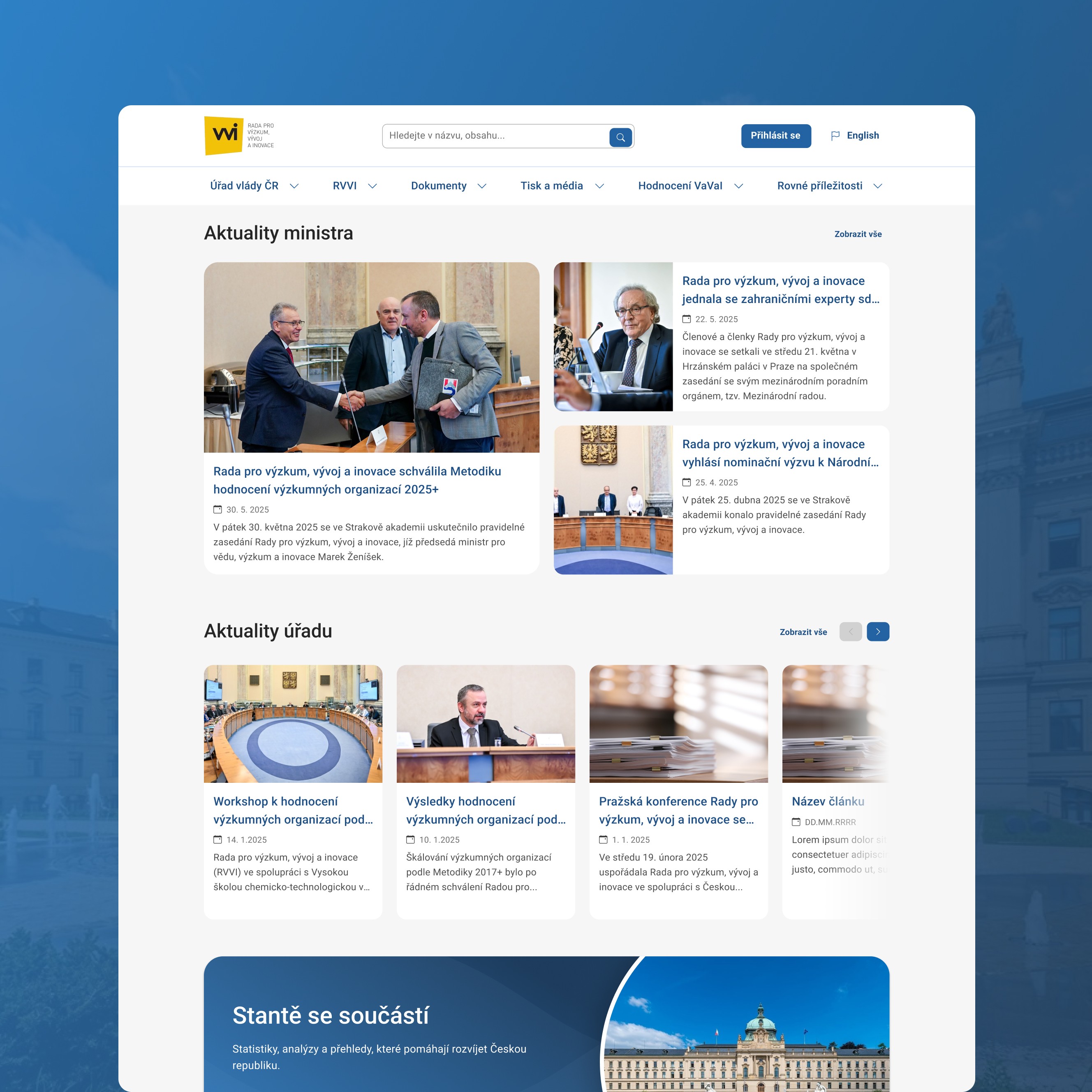
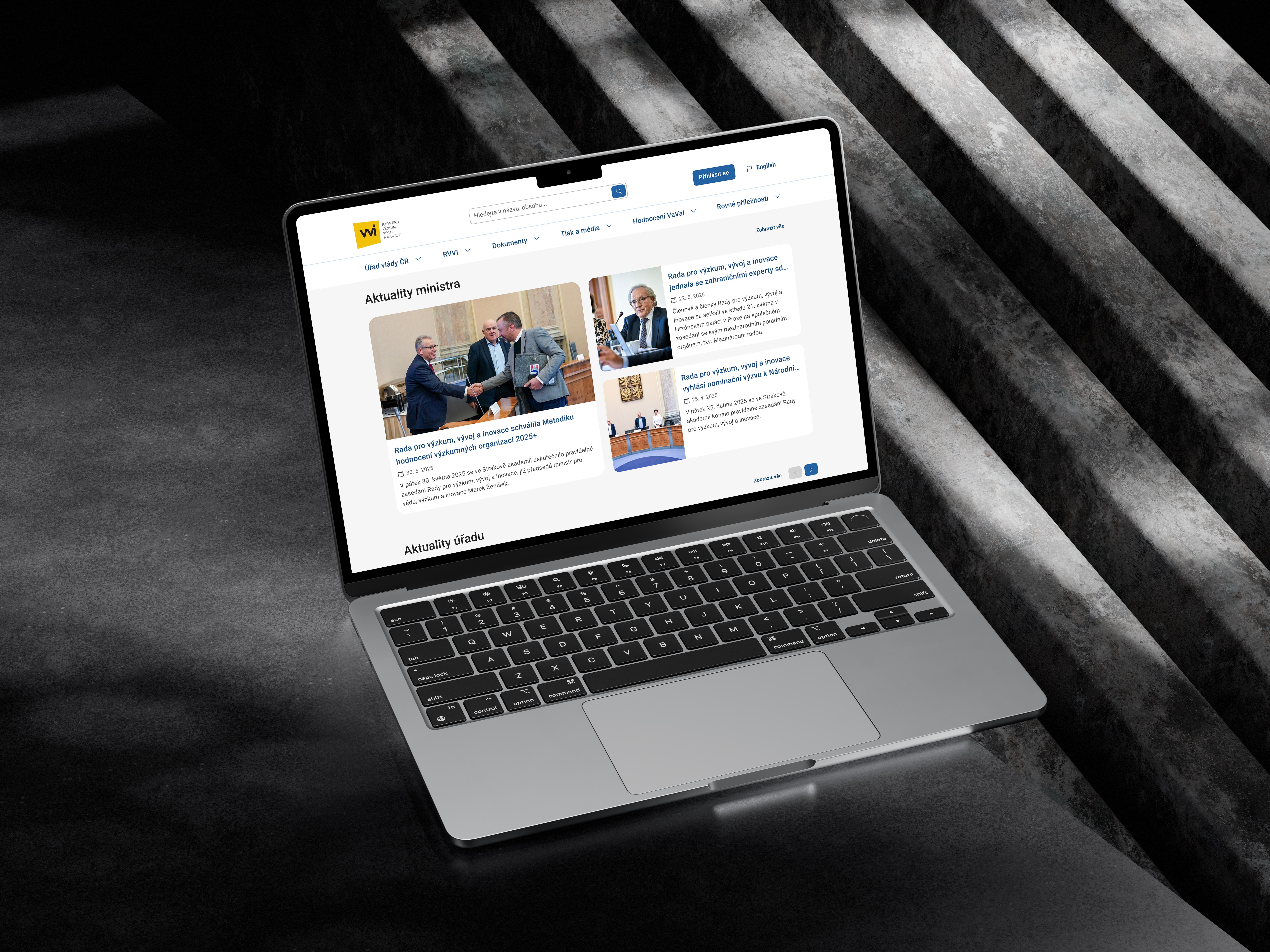
The redesigned homepage prioritizes current events and official announcements through distinct, modular cards – Aktuality ministra (Minister’s News) and Aktuality úřadu (Office News). Beneath these, the Často hledané (Frequently Searched) area and icon-based modules surface the most-used service links like Documents, Office Hours, and Contact, allowing users to act immediately on primary tasks.
The overall layout follows a clear vertical rhythm: news first, followed by the Staňte se součástí! (Become a part!) banner and a set of four task-oriented icon cards that support quick navigation. The Členové RVVI (RVVI Members) section uses profile cards to improve transparency and help users identify key officials at a glance.
Each part of the page is organized into self-contained modules with bold section headings and minimal sidebar clutter, keeping attention on the main content flow. The design concludes with a Časté dotazy (Frequent Questions) accordion and a detailed footer that provides full-site navigation without overwhelming the page.
The visual tone is formal and institutional, built on a restrained palette of dark blue, white, and gray. It stays true to the DIA library’s standards but improves clarity through stronger spacing, defined horizontal divisions, and consistent hierarchy. The final result feels structured, transparent, and focused on delivering official information with confidence.
The redesigned homepage prioritizes current events and official announcements through distinct, modular cards – Aktuality ministra (Minister’s News) and Aktuality úřadu (Office News). Beneath these, the Často hledané (Frequently Searched) area and icon-based modules surface the most-used service links like Documents, Office Hours, and Contact, allowing users to act immediately on primary tasks.
The overall layout follows a clear vertical rhythm: news first, followed by the Staňte se součástí! (Become a part!) banner and a set of four task-oriented icon cards that support quick navigation. The Členové RVVI (RVVI Members) section uses profile cards to improve transparency and help users identify key officials at a glance.
Each part of the page is organized into self-contained modules with bold section headings and minimal sidebar clutter, keeping attention on the main content flow. The design concludes with a Časté dotazy (Frequent Questions) accordion and a detailed footer that provides full-site navigation without overwhelming the page.
The visual tone is formal and institutional, built on a restrained palette of dark blue, white, and gray. It stays true to the DIA library’s standards but improves clarity through stronger spacing, defined horizontal divisions, and consistent hierarchy. The final result feels structured, transparent, and focused on delivering official information with confidence.
The redesigned homepage prioritizes current events and official announcements through distinct, modular cards – Aktuality ministra (Minister’s News) and Aktuality úřadu (Office News). Beneath these, the Často hledané (Frequently Searched) area and icon-based modules surface the most-used service links like Documents, Office Hours, and Contact, allowing users to act immediately on primary tasks.
The overall layout follows a clear vertical rhythm: news first, followed by the Staňte se součástí! (Become a part!) banner and a set of four task-oriented icon cards that support quick navigation. The Členové RVVI (RVVI Members) section uses profile cards to improve transparency and help users identify key officials at a glance.
Each part of the page is organized into self-contained modules with bold section headings and minimal sidebar clutter, keeping attention on the main content flow. The design concludes with a Časté dotazy (Frequent Questions) accordion and a detailed footer that provides full-site navigation without overwhelming the page.
The visual tone is formal and institutional, built on a restrained palette of dark blue, white, and gray. It stays true to the DIA library’s standards but improves clarity through stronger spacing, defined horizontal divisions, and consistent hierarchy. The final result feels structured, transparent, and focused on delivering official information with confidence.

Outcome / Impact
Outcome / Impact
Outcome / Impact
Even as a conceptual redesign, this project clarified how to work within the DIA library while still delivering something distinct and readable. Designers and developers I shared it with appreciated the improved clarity and how the navigation system could scale across similar institutions.
The restructured “Aktuality” model and purpose-driven IA later informed a similar approach I used on another public-sector redesign, proving the system’s flexibility. This project also deepened my understanding of accessibility standards in large content systems — a crucial takeaway for any civic or institutional product design work.
Even as a conceptual redesign, this project clarified how to work within the DIA library while still delivering something distinct and readable. Designers and developers I shared it with appreciated the improved clarity and how the navigation system could scale across similar institutions.
The restructured “Aktuality” model and purpose-driven IA later informed a similar approach I used on another public-sector redesign, proving the system’s flexibility. This project also deepened my understanding of accessibility standards in large content systems — a crucial takeaway for any civic or institutional product design work.
Even as a conceptual redesign, this project clarified how to work within the DIA library while still delivering something distinct and readable. Designers and developers I shared it with appreciated the improved clarity and how the navigation system could scale across similar institutions.
The restructured “Aktuality” model and purpose-driven IA later informed a similar approach I used on another public-sector redesign, proving the system’s flexibility. This project also deepened my understanding of accessibility standards in large content systems — a crucial takeaway for any civic or institutional product design work.
Learnings / Reflection
Learnings / Reflection
Learnings / Reflection
Through this project, I learned how challenging it is to simplify large government websites while respecting structure and tone requirements. If implemented, this redesign could make the RVVI’s outputs more discoverable and transparent to the public. In future iterations, I’d test the structure with real researchers and administrative staff to validate navigation clarity.
Through this project, I learned how challenging it is to simplify large government websites while respecting structure and tone requirements. If implemented, this redesign could make the RVVI’s outputs more discoverable and transparent to the public. In future iterations, I’d test the structure with real researchers and administrative staff to validate navigation clarity.
Through this project, I learned how challenging it is to simplify large government websites while respecting structure and tone requirements. If implemented, this redesign could make the RVVI’s outputs more discoverable and transparent to the public. In future iterations, I’d test the structure with real researchers and administrative staff to validate navigation clarity.
More Works More Works
Turning Slack confusion into a simple device tracker.
UI/UX App Design
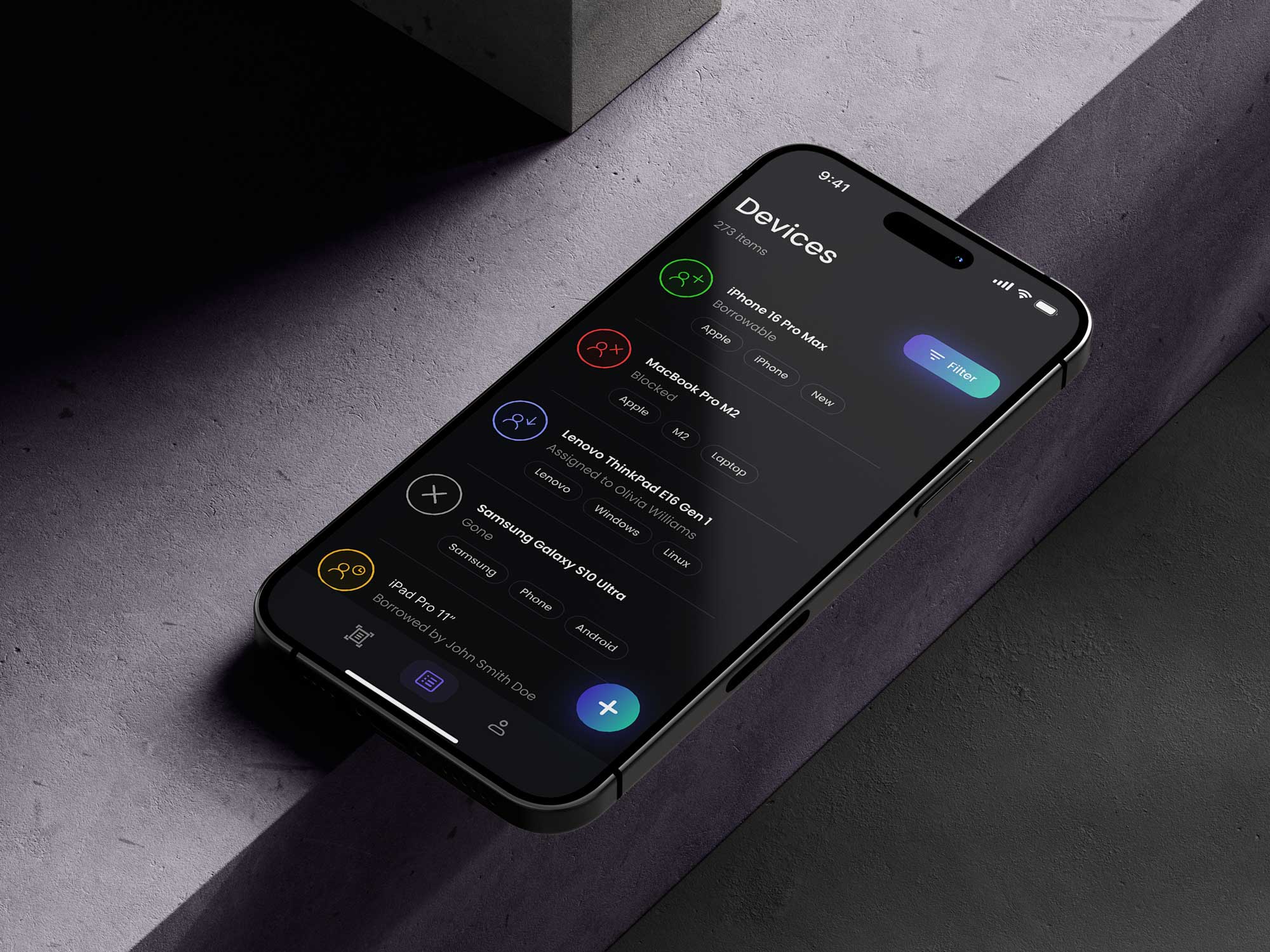
Turning Slack confusion into a simple device tracker.
UI/UX App Design
Turning Slack confusion into a simple device tracker.
UI/UX App Design
Smart Darts – Proof of Concept App
App UI/UX, Prototyping
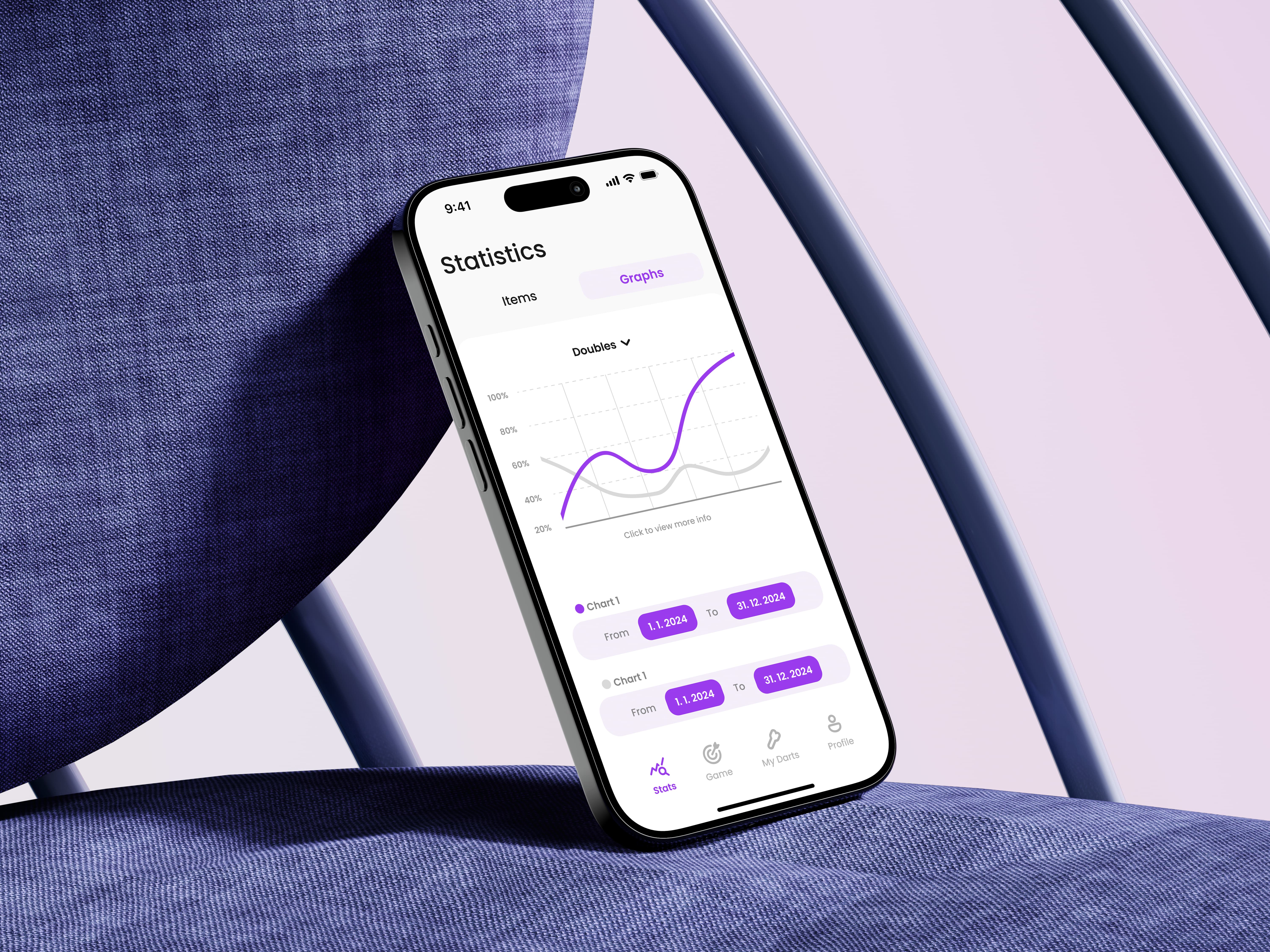
Smart Darts – Proof of Concept App
App UI/UX, Prototyping
Smart Darts – Proof of Concept App
App UI/UX, Prototyping